April Hardware Product FAQ

April Hardware Product FAQ

Question 1:How to clear or suppress an alarm

There are two ways to clear an alert
Plan 1 – Address the cause of the alert: Identify the specific cause of the alert, take the necessary corrective actions, and clear the alert once the issue is resolved
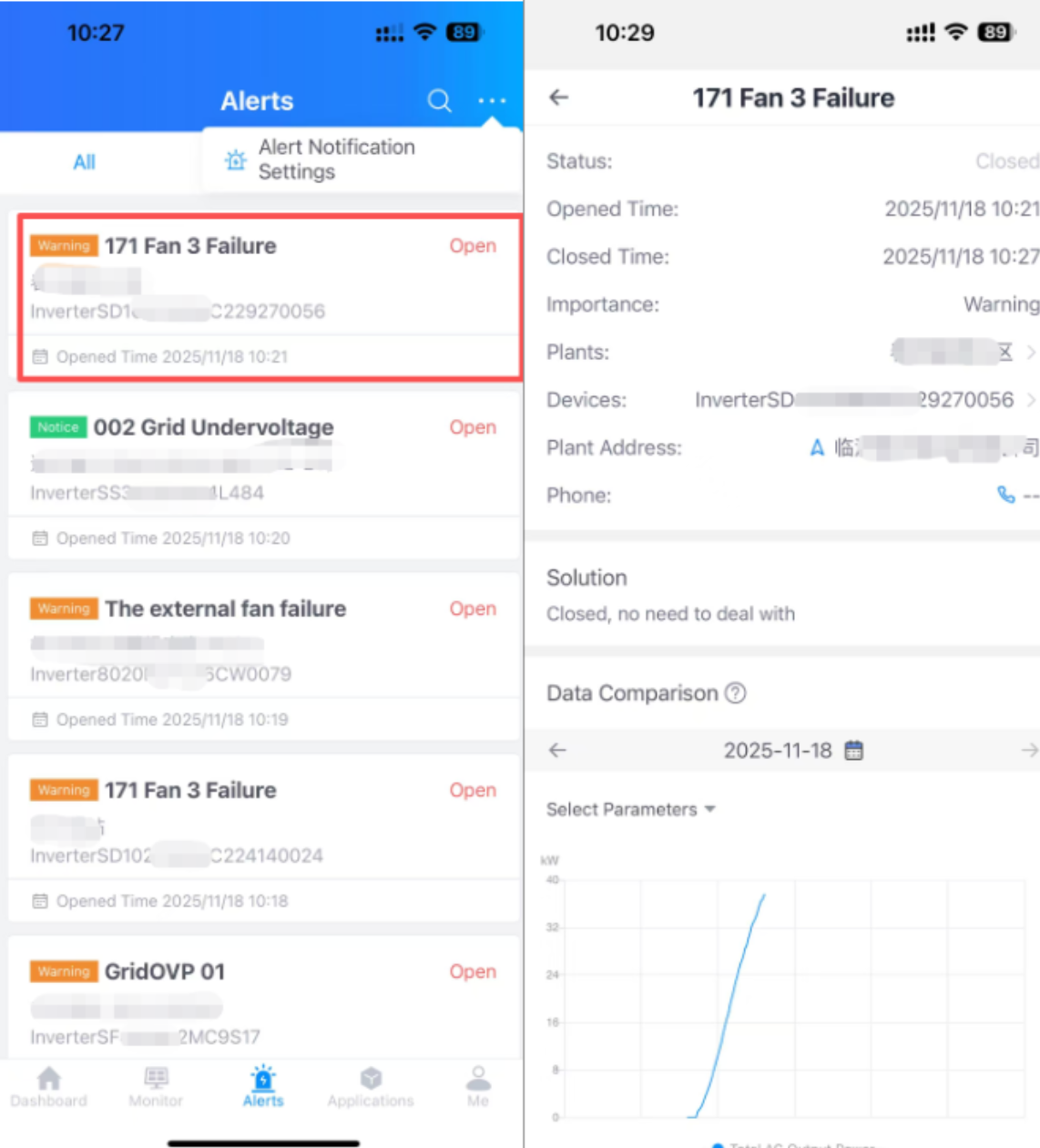
Plan 2 – Mute the alert: If you are unable to address the alert immediately but it does not significantly impact your operations and you wish to stop seeing the alert, you can use the following method to mute the alert


Question 2:Open Data Online User Guide

Open Data currently supports only P1 meter readers, smart meter sockets, smart rail-mounted meters, and near-infrared meter readers. For specific models and supported firmware versions, please refer to the Open Data online user manual.

Link to the Open Data online user manual: https://docs.solarman.ai/docs/api/opendata/

Note: The products listed above only support Open Data and do not support OpenAPI. Related features are expected to be launched via Energy Ease in May 2026. SOLARMAN products are not currently supported.

The QR code for downloading Energy Ease is as follows:


    • Related Articles

    • Home Energy Management System Product Installation Manual and FAQ

      Announcement This year, the platform has launched several Home Energy Management System (HEMS) products. To facilitate user access, installation and use, we have compiled and consolidated the official installation manuals and frequently asked ...
    • April SOLARMAN Product Update Notes

      Product Name:SOLARMAN Help Center Module Available Release Date: April 16 Distribution Channels SOLARMAN Smart Web+App SOLARMAN Business Web+App SOLARMAN Business SOLARMAN Business App Path: Me > Help and Feedback (top right corner) SOLARMAN Business ...
    • SOLARMAN Hardware Installation Video Tutorials Now Available

      Dear User To help you quickly master SOLARMAN hardware installation techniques and enhance your photovoltaic energy management efficiency, the SOLARMAN Hardware Installation Tutorial is now officially available! Video Link:SOLARMAN Hardware ...
    • Product Update Overview--SOLARMAN Smart Flow Map Now Supports Charging Station Icons

      Related Platforms: SOLARMAN Smart Web, SOLARMAN Smart App Release Date: April 9, 2026 Description: When a storage plant includes charging station devices, if the charging station is in operation, SOLARMAN Smart Web and SOLARMAN Smart App will display ...
    • FAQ for Three-Phase Smart Meters

      Q:What causes a three-phase smart meter to trigger an alarm for “current loss” and “phase overcurrent”? A: 1. The product’s logic: When the current in any phase of a three-phase system is less than 1A, the platform will not display it and show it as ...